Knowledge base chatbot: build and run one in 2026
A knowledge base chatbot is an AI assistant that reads your existing help content and answers user questions directly without a human agent intervening. Before you build one, confirm these prerequisites:
Knowledge base readiness: most of your top support queries are covered by existing articles, with clear ownership and a review cadence.
Ingestion method: decide between web crawl, bulk upload (PDF, HTML, Markdown), or API sync from your CMS or help desk.
Retrieval approach: choose Retrieval-Augmented Generation (RAG) with a vector database and embeddings, or a simpler keyword-match layer for low-complexity FAQ deflection.
LLM choice: select a hosted model (OpenAI GPT-4o, Anthropic Claude), a cloud-managed option, or bring your own LLM if data residency or model control is a requirement.
Integration endpoints: map the channels (web widget, WhatsApp, Slack, API) and backend systems (CRM, ticketing, order management) the bot must connect to.
Governance baseline: establish lawful basis for processing chat logs under UK GDPR, define PII redaction rules, and agree on an audit trail format before you write a single prompt.
Enterprise teams should treat the governance baseline as a blocker, not an afterthought. A chatbot that goes live without a data retention policy or a documented fallback path creates legal and reputational exposure from day one.
Key takeaways
Point | Details |
Architecture choice is the critical decision | Choose deterministic flows for auditable operations and RAG for open-ended queries; hybrid designs serve most enterprise needs. |
Content quality determines bot quality | Audit your KB against your top 100 queries before ingestion; stale or incomplete content produces confidently wrong answers. |
Deflection gains are measurable | Industry examples show ticket deflection rising substantially, with first response time dropping to just a few seconds. |
Governance must be designed in, not added later | UK GDPR requires lawful basis, retention limits, PII redaction, and an audit trail before the bot goes live. |
Sentient Concepts delivers end-to-end | From readiness audit through production engineering to managed operations, with no handoffs between teams. |
Table of Contents
What is a knowledge base chatbot, and which type suits your needs?
What data protection and governance controls does a UK deployment require?
What does a knowledge base chatbot project actually cost and how long does it take?
How do you design conversations and prompts that actually work?
How Sentient Concepts approaches knowledge base chatbot delivery
The trade-offs that implementation teams rarely discuss openly
Sentient Concepts can take your KB chatbot from pilot to production
What is a knowledge base chatbot, and which type suits your needs?
The industry term for what most people call a “knowledge base chatbot” is a retrieval-augmented conversational agent. The informal label has stuck because it describes the function plainly: the bot retrieves content from a knowledge base and uses it to answer questions. Three architectural approaches exist, and the right one depends on your tolerance for complexity, auditability requirements, and the nature of the queries you expect.
Rule-based (deterministic) bots follow scripted decision trees. Every response is pre-authored; the bot matches an input to a pattern and returns a fixed answer. They are fast to build, fully auditable, and predictable, but they break the moment a user phrases a question outside the script. They suit narrow, high-volume FAQ deflection where the question set is stable and well-defined.
Generative RAG-based bots use semantic retrieval to find relevant passages in your knowledge base, then pass those passages to a large language model to compose a natural-language answer. The model is grounded in your documentation rather than its training data, which substantially reduces hallucination risk. These bots handle open-ended questions, paraphrasing, and multi-turn conversations far better than rule-based systems, but they require more engineering, ongoing monitoring, and a clear governance model.
Hybrid designs combine both. Deterministic flows handle high-stakes operations — refunds, account changes, policy confirmations — where an auditable, hard-coded path is non-negotiable. RAG reasoning handles exploratory product questions and open-ended support queries. Voiceflow’s conversation design guidance makes the case for this split explicitly: enterprise operations demand auditable deterministic paths, while product guidance works best with generative retrieval.
Platform patterns follow the same split. Hosted SaaS tools (Zendesk, Intercom, Zoho SalesIQ) offer fast setup and managed infrastructure. Self-hosted or BYO-LLM deployments give you full data residency control and model governance, at the cost of engineering overhead.
Why do businesses deploy knowledge base chatbots?
The business case is straightforward: support volume grows faster than headcount budgets, and customers expect answers at any hour. A well-built AI knowledge assistant addresses both pressures simultaneously.
Industry examples documented by BuiltABot show ticket deflection rising substantially after deploying knowledge base chatbots, with first response times falling from hours to just a few seconds. These are illustrative figures from sample deployments, not guaranteed outcomes, but the directional signal is consistent across the sector.
The primary benefits cluster around four areas:
Ticket deflection and cost reduction: agents handle fewer repetitive queries, freeing capacity for complex cases.
24/7 multilingual coverage: a single deployment can serve customers in multiple languages without shift patterns or additional headcount.
Consistent answers: every user receives the same response drawn from the same source content, eliminating the variance that comes from different agents interpreting policy differently.
Training data capture: unanswered queries and low-confidence responses feed directly back into KB improvement cycles.
Common use cases span customer support deflection, pre-sales Q&A (pricing, compatibility, availability), internal HR and IT helpdesks, and onboarding guides for new products or services. For contact centre automation, the metrics that matter most are deflection rate, containment rate (queries fully resolved without escalation), CSAT, mean time to resolution, and escalation rate. Track all five from week one; optimising for deflection alone without monitoring CSAT produces a bot that closes tickets without satisfying customers.
How do you build a knowledge base chatbot step by step?
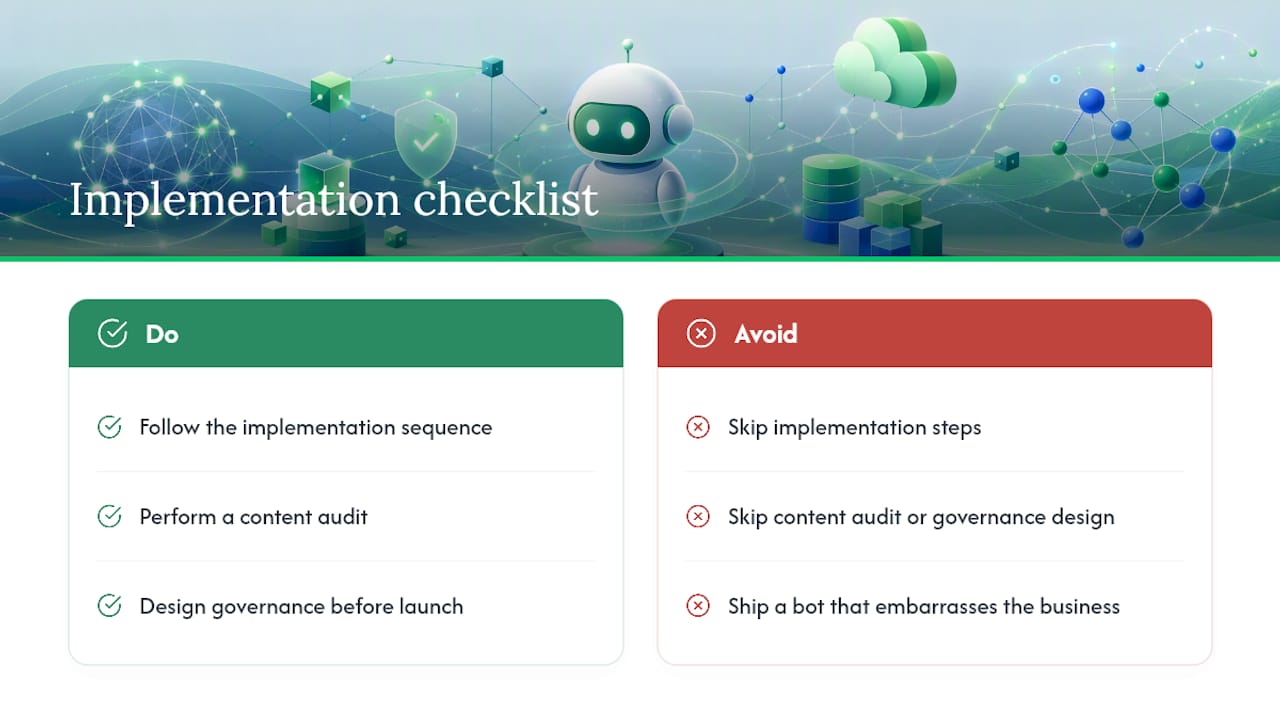
Implementation follows a logical sequence. Skipping steps, particularly the content audit and governance design, is the most reliable way to produce a bot that embarrasses the business within its first month of operation.
1. Audit and prepare your knowledge base content
Before ingestion, map your existing articles against your top 100 support queries. Remove or archive outdated content; a bot trained on stale pricing or deprecated product instructions will confidently give wrong answers. Assign ownership to each article category so there is a named person responsible for keeping content current.
2. Choose your ingestion method
Web crawl works for public help centres with stable URLs. Bulk upload (PDF, HTML, Markdown) suits internal wikis or documentation not exposed publicly. API sync from Zendesk, Confluence, or Zoho SalesIQ keeps the bot’s knowledge current automatically. Zoho SalesIQ’s knowledge base chatbot documentation covers bulk import and automatic crawling in detail, including how to handle multilingual content and log unanswered queries for iterative improvement.
Strip boilerplate (navigation menus, cookie notices, legal footers) before ingestion. These fragments consume token budget and degrade retrieval quality.
3. Chunk, embed, and index
Split articles into chunks of roughly 200–500 tokens, preserving semantic coherence at paragraph boundaries rather than cutting mid-sentence. Generate embeddings using a model consistent with your LLM stack (OpenAI’s text-embedding-3-small, Cohere Embed, or an open-source equivalent). Store vectors in a hosted vector database (Pinecone, Weaviate, pgvector on PostgreSQL) or a self-hosted option if data residency requires it.
Pro Tip: Set up incremental indexing from day one. A full re-index of a large KB on every content update is slow and expensive; delta indexing on changed documents keeps the bot current without the overhead.
4. Select and configure your LLM
Closed hosted models (OpenAI GPT-4o, Anthropic Claude 3.5 Sonnet) offer the fastest path to production. Cloud-managed options on Azure OpenAI or AWS Bedrock give you the same models with data residency commitments and enterprise SLAs. BYO LLM (Llama 3, Mistral) suits organisations that need full model control or cannot send data to third-party APIs.
Set temperature low (0.0–0.3) for factual support responses. Higher temperature increases creativity but also increases the risk of the model embellishing beyond the retrieved passage.
5. Design conversation flows and persona guardrails
Practitioners recommend mapping the happy path first: the shortest route from a user’s question to a correct, complete answer. Layer fallbacks only after the happy path is clean. Define a persona in the system prompt: the bot’s name, its scope, what it will and will not answer, and how it should behave when it cannot find a relevant passage.
6. Build fallbacks and human handover
A fallback is not a failure; it is a designed response to a query the bot cannot resolve confidently. Structured fallbacks should capture the user’s question, offer alternative contact options, and pass full conversation context to the human agent. Proactive error handling with context-rich handover is a genuine differentiator for enterprise deployments.
7. Test before launch
Build a synthetic test set from your top 100 queries, including paraphrased variants and adversarial edge cases. Run red-team prompts to find prompt injection vulnerabilities and off-topic responses. Measure accuracy by sampling retrieved passages against expected source articles.
8. Monitor and iterate post-launch
Log every query, retrieved passage, confidence score, and user rating. Review the “answer not found” queue weekly and use it to prioritise new KB articles. Platform testing in 2026 shows setup times ranging from roughly 18 minutes for simple consumer tools to multiple days for enterprise-integrated deployments — the monitoring and iteration phase is where the real performance gap between fast pilots and production-grade systems becomes apparent.
What data protection and governance controls does a UK deployment require?
UK GDPR applies to any chatbot that processes personal data, and chat logs almost always contain PII — names, account numbers, email addresses, and sometimes sensitive category data depending on the sector.
Key obligations and design patterns:
Lawful basis: identify the lawful basis for processing chat logs before launch. Legitimate interests is common for support contexts, but document the balancing test. Consent is rarely the right basis for a support chatbot.
Data minimisation: do not log more than you need. If the bot resolves a query without escalation, consider whether the full transcript needs to be retained at all.
Retention and deletion: set automated retention limits on chat logs. Subject Access Requests require you to locate and produce any personal data held in logs; design your storage schema to make this feasible.
Data residency: if your organisation or sector requires UK or EU data residency, verify that your vector database, LLM API, and logging infrastructure all honour that requirement. Azure OpenAI and AWS Bedrock both offer UK/EU region options.
PII redaction: apply redaction or tokenisation at retrieval time so that PII in KB articles (example customer names in case studies, for instance) is not surfaced in bot responses.
Auditability: log retrieval IDs, source passage references, and confidence scores for every response. This creates an audit trail that supports both internal governance and regulatory enquiry.
Pro Tip: Treat your AI governance framework as a living document. Model updates, new integrations, and KB content changes all carry governance implications. Schedule a quarterly review with your data protection officer and engineering lead.
Operational governance should include a model change control process (any LLM version update requires regression testing before deployment), periodic accuracy audits (monthly for the first six months), and a documented incident response plan for hallucinations or data leaks.
What does a knowledge base chatbot project actually cost and how long does it take?
Cost and timeline vary considerably based on KB size, integration complexity, and whether you need custom actions (refunds, account updates) alongside Q&A.
Resourcing a typical project requires:
A product owner to define scope and own the KB content strategy.
A conversation designer to map flows, write persona guardrails, and design fallbacks.
A data engineer to build ingestion pipelines, chunking logic, and vector store infrastructure.
An ML engineer to configure the LLM, embeddings, and retrieval parameters.
A security and compliance lead to sign off on data residency, PII handling, and audit trail design.
A support operations liaison to define escalation paths and train agents on handover protocols.
Timeline bands:
A quick pilot covering your top 20 queries on a hosted SaaS platform can be live in one to four weeks. Hands-on platform testing confirms that some tools are operational in under 20 minutes for simple use cases, though enterprise-grade configuration takes considerably longer. A production MVP with proper testing, monitoring, and governance typically takes 4–12 weeks. A full enterprise rollout with compliance sign-off, multilingual support, and backend integrations runs 3–6 months.
Operating costs include vector database hosting, LLM API usage (priced per token or per query depending on the provider), monitoring tooling, and ongoing KB maintenance. The last item is consistently underestimated: a KB chatbot that is not maintained degrades as your product and policies change.
Industry examples from BuiltABot show ticket deflection rising substantially and first response time dropping to just a few seconds after deployment.
How do you design conversations and prompts that actually work?
Chatbot conversation design for knowledge base applications is a distinct discipline from general prompt engineering. The goal is not a clever response; it is the shortest, clearest path to a correct answer drawn from your documentation.
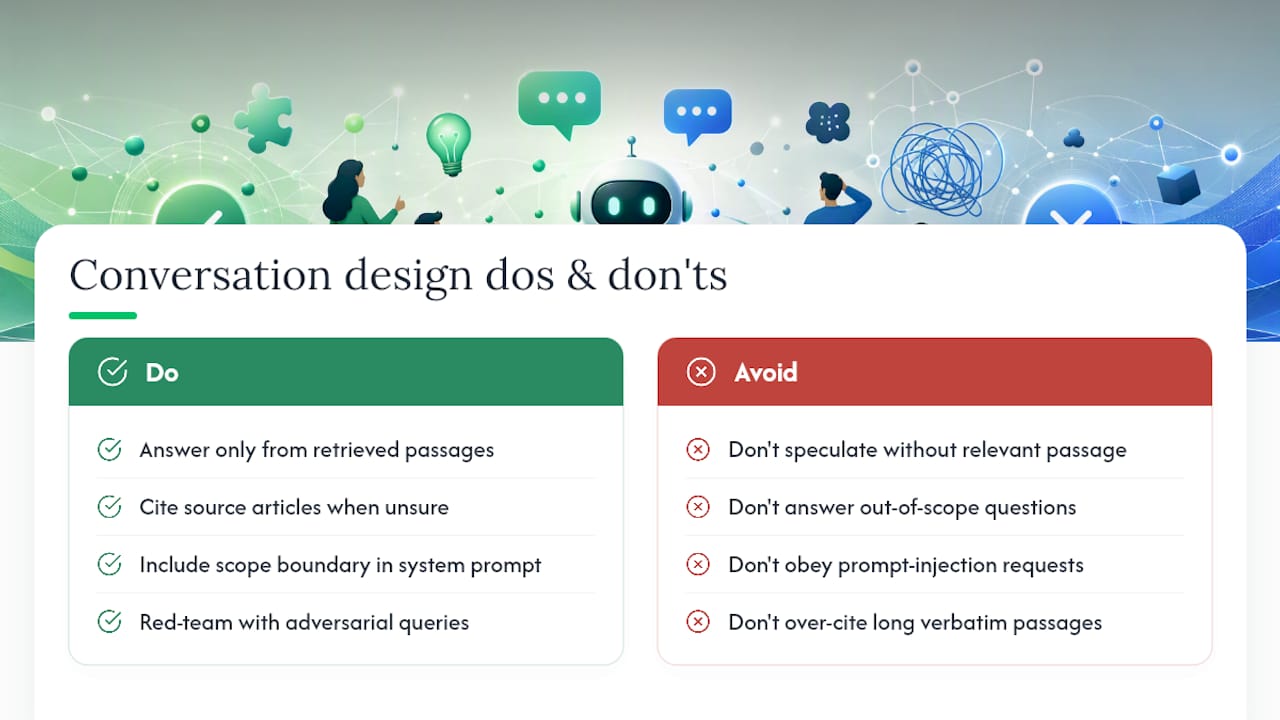
Google’s conversation design guidance frames this through Grice’s Cooperative Principle: be relevant, be clear, and provide no more detail than the user needs. Applied to a RAG bot, this means the system prompt should instruct the model to answer from retrieved passages only, cite the source article when confidence is moderate, and decline to speculate when no relevant passage is found.
A practical prompt structure for a RAG flow looks like this:
Pro Tip: Include a “scope boundary” instruction in every system prompt: a short list of topics the bot should decline to answer (competitor comparisons, legal advice, medical guidance). This prevents the model from wandering into territory your KB does not cover and your business cannot stand behind.
Testing prompts with adversarial queries is not optional for enterprise deployments. Common failure modes include prompt injection (a user asking the bot to ignore its instructions), topic drift (the bot answering questions outside its scope), and over-citation (the bot quoting long passages verbatim instead of summarising). Red-team testing before launch catches most of these.
Voiceflow’s conversation design blog notes that conversation designers now treat prompt engineering as a core skill: setting persona guardrails and behaviour instructions so the LLM handles language variation, rather than scripting every possible path. That shift matters because it changes the maintenance model. You maintain prompts and KB content, not decision trees.
How Sentient Concepts approaches knowledge base chatbot delivery
Sentient Concepts structures KB chatbot engagements in three phases: readiness and data diligence, production engineering, and managed operations. The readiness phase covers KB coverage analysis against the client’s top query set, data residency and governance design, and LLM selection. This phase typically surfaces content gaps that would have caused the bot to fail in production, and it is where the architecture decision between deterministic and RAG flows is made.
The engineering phase builds the ingestion pipeline, vector store, retrieval layer, and conversation flows, with integration into the client’s existing ticketing or CRM system. Governance artefacts, including audit trail schema, PII redaction rules, and model change control documentation, are produced alongside the technical build.
The managed operations phase covers ongoing monitoring, accuracy audits, KB update workflows, and incident response. Clients receive runbooks that define what to do when the bot produces a low-confidence response, when a new product launch requires KB updates, and when a model version change requires regression testing.
Concrete outcomes from prior engagements include measurable reductions in first-line support volume, faster mean time to resolution, and lower cost per interaction as deflection rates increase. The operational savings compound over time as the KB improves and the bot handles a broader query set.
Sentient Concepts’ delivery model eliminates the handoff problem that undermines many AI programmes: the same team that designs the architecture builds it and operates it, so accountability does not fragment between a strategy consultancy, a systems integrator, and a managed service provider.
The trade-offs that implementation teams rarely discuss openly
The conversation around knowledge base chatbots is dominated by deflection rates and time-to-live metrics. Both matter, but they obscure the decisions that actually determine whether a deployment succeeds at scale.
The hosted-versus-self-hosted question is not primarily a cost question; it is a governance question. Hosted SaaS platforms are faster and cheaper to launch, but they place your KB content, your users’ queries, and your chat logs on infrastructure you do not control. For regulated industries in the UK — financial services, healthcare, insurance — that is a material risk that requires explicit sign-off, not a default choice.
The speed-versus-auditability tension is equally underappreciated. A generative RAG bot can answer almost any question fluently, but “fluently” and “correctly” are not the same thing. Enterprise operations that carry financial or legal consequence need deterministic paths, full stop. The temptation to let the LLM handle everything because it sounds better is one of the most common sources of post-launch incidents.
The maintenance burden is the most consistently underestimated cost. A KB chatbot is not a project you complete; it is a system you operate. Product changes, policy updates, and new regulations all require KB updates, and those updates require someone with authority and time to make them. Organisations that launch without a named content owner and a review cadence find their bot degrading quietly over months, producing confident answers to questions whose correct answers changed six weeks ago.
The metric alignment problem is subtler still. Support teams are measured on CSAT and resolution rate. Product teams are measured on adoption. Engineering teams are measured on uptime. A KB chatbot sits at the intersection of all three, and without explicit agreement on which metric takes priority when they conflict, the programme stalls in governance debates rather than improving.
Sentient Concepts can take your KB chatbot from pilot to production
Most enterprise teams can get a prototype live in days. Getting it to production, keeping it accurate, and making it compliant with UK data protection requirements is where the real work begins.
Sentient Concepts delivers end-to-end KB chatbot programmes: from AI strategy and readiness assessment through to data platform engineering and managed AI operations. Engagements are structured as a fixed-price readiness audit, a time-boxed MVP build, or an ongoing managed retainer, depending on where you are in the programme. There are no handoffs between strategy, engineering, and operations teams: the same people who design the architecture build it and run it. For finance, manufacturing, logistics, and insurance organisations operating under UK regulatory requirements, that continuity is not a convenience; it is a risk control. To discuss your requirements, contact Sentient Concepts directly through Sentientconcepts.
Sources
FAQ
What is a knowledge base chatbot?
A knowledge base chatbot is an AI assistant that retrieves content from your existing help documentation and uses it to answer user questions directly. Modern implementations use Retrieval-Augmented Generation (RAG), where a vector database finds relevant passages and a large language model composes a grounded response.
How do you create a knowledge base for a chatbot?
Audit your existing content against your top support queries, remove outdated articles, assign ownership, then ingest via web crawl, bulk upload, or API sync. Chunk articles into 200–500 token segments, generate embeddings, and store them in a vector database for semantic retrieval.
What deflection rates can a knowledge base chatbot realistically achieve?
Results depend heavily on KB content quality and query complexity; these figures are illustrative, not guaranteed.
Are AI chatbots legal in the UK?
AI chatbots are legal in the UK, but deployments that process personal data must comply with UK GDPR. This requires a documented lawful basis for processing chat logs, data minimisation, retention limits, and a mechanism to handle Subject Access Requests. Regulated sectors (financial services, healthcare) carry additional obligations.
Which platforms are commonly used for enterprise knowledge base chatbots?
Zendesk and Intercom offer managed AI agents with native KB integration. Zoho SalesIQ provides bulk import, crawling, and multilingual support. OpenAI’s API and Azure OpenAI are common LLM layers for custom builds. Sentient Concepts designs and operates bespoke deployments across these and other platforms, with full governance and managed operations included.
Recommended