PDF table extraction for enterprise: a practical guide
A hybrid, AI-orchestrated pipeline — template-free ML for native PDFs, OCR plus vision models for scanned pages, and intelligent routing for edge cases — is the fastest route to reliable, maintainable PDF table extraction at enterprise scale. For UK organisations in finance, manufacturing, logistics, and insurance, the decision is not whether to automate, but which architecture to approve and how to validate it.
The immediate case for acting now:
Template-free ML eliminates the per-layout engineering cost that compounds as document volumes grow
Hybrid routing reduces error rates on scanned and borderless tables that defeat single-library approaches
Structured outputs (JSON, CSV, XLSX) with metadata land directly in data lakes, ETL pipelines, and RAG stacks
A several-week pilot with labelled ground truth produces defensible accuracy metrics before full procurement commitment
The recommended next step: commission a readiness assessment with Sentient Concepts, select a representative sample of your document estate, and run a vendor-blind pilot before signing any platform contract.
Table of Contents
Why AI-led PDF table extraction is a strategic priority
Manual extraction is not a process problem — it is a cost that compounds. Finance teams re-keying supplier invoices, logistics operators transcribing manifests, and insurance analysts copying claims tables all face the same structural inefficiency: human effort scales linearly with volume, and errors accumulate at every handoff.
AI-led extraction, by contrast, moves from template-based rules to ML-driven, template-free processing, which means new document layouts do not trigger engineering rework. The business benefits are direct:
Faster processing: modern solutions process documents in under 30 seconds and emit structured outputs ready for direct database or RPA integration
Fewer exceptions: intelligent routing reduces the volume of documents requiring manual review
Lower total cost of ownership: eliminating template maintenance cuts ongoing engineering overhead
Improved data quality: structured, metadata-rich outputs feed analytics and large language model pipelines with provenance intact
For UK enterprises, the regulatory context adds urgency. Finance teams need audit trails for FCA reporting. Manufacturing requires accurate supplier data for procurement compliance. Insurance claims processing demands traceable, timestamped extraction records.
How modern PDF table extraction works end-to-end
Modern systems combine text-layer parsing, OCR, and vision or ML models, then emit structured outputs alongside element-level metadata. The pipeline follows a consistent pattern: ingestion → type detection → router → extractor engines → normaliser → delivery to ETL, RAG, or data lake.

The type detection step is where most single-library approaches fail. A practical test distinguishes native from scanned PDFs: if you can click and drag to select text in a PDF viewer, the document has a text layer and can be parsed directly. If selection fails, OCR is a prerequisite. Enterprise pipelines automate this classification at ingestion.
Critical metadata every enterprise pipeline must capture:
Bounding boxes for each table cell and row, enabling spatial provenance
Reading order so multi-column layouts are reconstructed correctly
Table header and row structure, including merged cells and spanning headers
Page numbers and document identifiers for traceability
Confidence scores per cell and per page, enabling exception routing
Element-level metadata — bounding boxes, reading order, heading hierarchies — is what makes extracted outputs genuinely AI-ready for RAG and LLM consumption. Without it, downstream models lose the spatial and structural context that gives tabular data meaning.
Pro Tip: Use CPU-optimised “fast” modes for high-throughput, low-complexity documents and GPU “balanced” modes only for pages requiring vision-level reconstruction. Per-page mode selection controls operational costs without sacrificing accuracy on complex layouts.
When to use Tabula versus an enterprise AI platform
The right tool depends entirely on volume, governance requirements, and integration depth. One-off or analyst-driven tasks suit lightweight tools; production automation at scale requires a different class of solution.
Tabula is the canonical example of a manual extraction tool. It runs on Mac, Windows, and Linux, offers a simple GUI where users draw a box to select tables, and exports to CSV. It works only on text-based PDFs. For a finance analyst extracting a single regulatory table, Tabula is entirely adequate. For a logistics operation processing thousands of manifests daily, it is the wrong instrument.
Dimension | Manual GUI tools (e.g. Tabula) | Developer libraries (e.g. pypdf_table_extraction) | Template-free APIs / managed platforms |
Setup effort | Minutes | Hours to days | Days to weeks (pilot) |
Throughput | Single file, manual | Hundreds/day with scripting | Thousands/hour with parallelism |
Scanned PDF support | No | Limited; hybrid strategies needed | Yes, via OCR and vision models |
Maintenance overhead | None | Template or config updates per layout | Low; template-free ML adapts to new layouts |
Governance and audit trail | None | Partial | Full, with confidence scores and provenance |
Integration | Manual export | API/SDK | Native connectors to data lakes, ETL, RAG |
Pricing model | Free/open-source | Free/open-source | Per-page, per-document, or managed service |
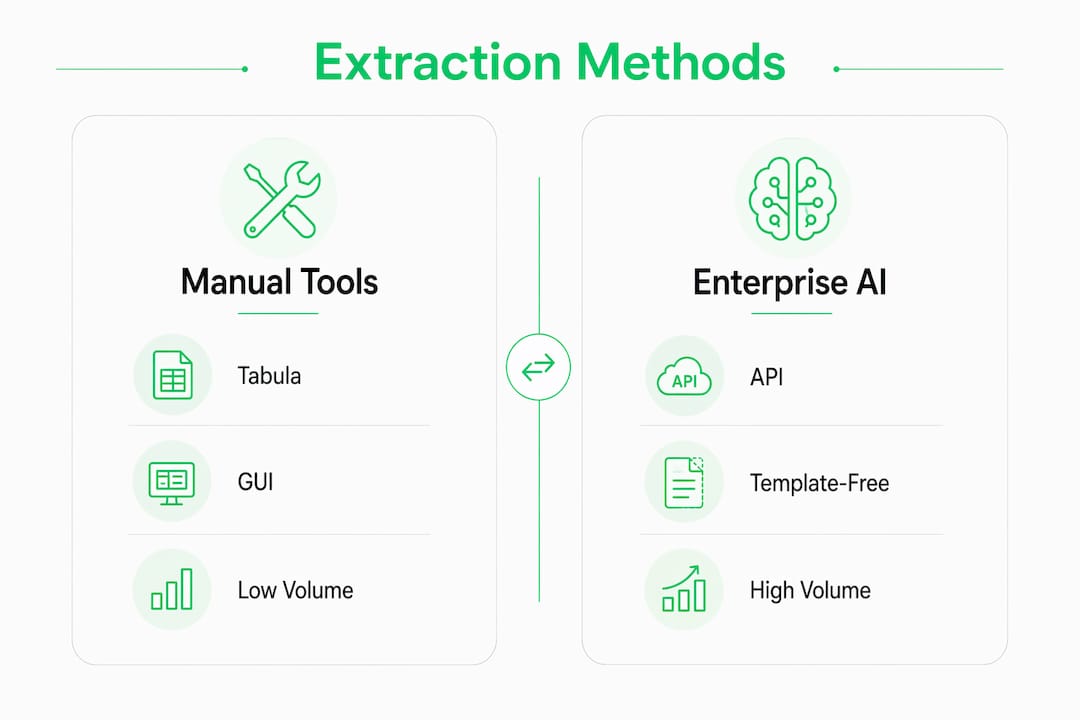
The inflection point for moving to a managed platform is when any of the following apply: document volumes exceed what a scripted library can handle reliably, layouts vary across suppliers or counterparties, scanned documents form a meaningful share of the estate, or downstream systems (analytics, LLMs) require structured metadata rather than raw CSV.
What does an enterprise extraction architecture look like?
An orchestrator that routes documents to different extractors reduces both error rate and maintenance burden. No single library handles every PDF layout; the architecture must account for this from the outset.
Pipeline components:
Ingestion layer — receives documents from email, SFTP, SharePoint, or API; logs receipt timestamp and source
Classifier — detects native vs scanned, estimates table complexity, assigns routing priority
Orchestrator — applies routing rules and manages extractor selection
Extractor pool — text-layer parser for native PDFs, OCR engine for scanned pages, vision/language model for complex or borderless tables
Normaliser — maps outputs to a canonical schema, resolves merged cells, standardises data types
Audit trail — records extraction engine version, confidence scores, and page-level provenance
Delivery — pushes structured data to ETL pipeline, data lake, or RAG index
Routing checklist:
Apply the clickable-text test at classification; route failures to the OCR engine
Flag pages with confidence scores below a defined threshold to an exception queue
Route tables with irregular structures (borderless, multi-page spanning, rotated) to the vision model extractor
Define a fallback strategy: low-confidence pages trigger human-in-the-loop review with SLA-backed remediation
Operational monitoring items: throughput per hour, per-page confidence distributions, exception queue depth, and mean time to remediation. Review these weekly during the first 90 days of production.
How to evaluate shortlisted vendors
Evaluate vendors on accuracy across native and scanned documents, metadata fidelity, throughput, integration options, maintenance model, deployment flexibility, security posture, pricing structure, and support terms. Generic claims of “high accuracy” are not acceptable; require benchmark figures on representative samples.
Evaluation checklist:
Table-level precision and recall on native PDFs (target: above 0.90)
Table-level precision and recall on scanned PDFs (target: above 0.85)
Cell-level error rate on complex layouts (borderless, merged cells)
Metadata output: bounding boxes, reading order, confidence scores per cell
Throughput at your expected peak volume (documents per hour, parallelism options)
Integration: REST API, SDK, pre-built connectors to your data stack
Maintenance model: template-based or template-free; update cadence for ML models
Deployment: cloud, private cloud, on-premises; UK data residency option
Security: ISO 27001, SOC 2-type assurance, encryption in transit and at rest
Pricing: per-page, per-document, subscription, or managed service; overage terms
SLA: uptime commitment, exception handling, escalation path, remediation timeline
Sample questions for vendor conversations:
What are your published benchmark figures for table-level precision and recall on scanned documents?
How does your system handle borderless or multi-page spanning tables?
What metadata does each extracted table carry, and in what format?
What is your model update cadence, and how are regressions managed?
Do you support UK data residency, and can you provide a Data Processing Agreement aligned to UK GDPR?
What is your SLA for exception remediation, and how are low-confidence pages flagged?
Can you demonstrate throughput at our expected peak volume?
What certifications do you hold: ISO 27001, SOC 2, Cyber Essentials?
Red flags: mandatory template configuration for every new layout, no provenance data in outputs, no on-premises or private cloud option, and accuracy metrics that cannot be reproduced on your own document sample.
How to design a pilot that produces defensible results
Run a 4–6 week pilot with labelled ground truth, representative samples across document types, and fixed acceptance criteria agreed before the run begins. A pilot without pre-agreed metrics is a demonstration, not a procurement decision.
Pilot phases:
Readiness and sample selection (Week 1): select 200–500 documents covering native PDFs, scanned pages, and complex layouts in proportion to your live estate
Labelling and ground truth (Week 1–2): human-label all tables in the sample; define the error taxonomy (missing cell, incorrect value, merged cell error, reading order error)
Blind run (Week 2–3): vendor or platform processes the sample without access to ground truth labels
Error analysis (Week 3–4): score outputs against ground truth using the metric definitions below
Remediation loop (Week 4–5): vendor addresses identified failure modes; re-run on a held-out subset
Go/no-go decision (Week 5–6): compare results against acceptance criteria; produce a written recommendation
Metric | Definition | Example acceptance threshold |
Table-level precision | Proportion of extracted tables that are correct | ≥ 0.90 (native), ≥ 0.85 (scanned) |
Table-level recall | Proportion of ground-truth tables successfully extracted | ≥ 0.88 |
Cell-level error rate | Incorrect cells as a proportion of total cells | ≤ 5% |
Throughput | Documents processed per hour at target volume | Meets peak load requirement |
Exception rate | Proportion of pages routed to human review | ≤ 10% |
Benchmark figures from opendataloader-pdf across 200 real-world PDFs show an overall accuracy of 0.907 and table accuracy of 0.928 in hybrid mode — a useful reference point when setting your own acceptance thresholds.
UK GDPR, data residency, and security requirements
Require processors to support UK GDPR, offer clear data residency options, and document access controls before any contract is signed. Extracted table data frequently contains personal information — names, account numbers, policy references — which triggers data protection obligations under the UK GDPR.
GDPR checklist for procurement:
Confirm lawful basis for processing extracted personal data
Assess whether a Data Protection Impact Assessment is required (likely yes for large-scale automated processing)
Require data minimisation: extracted outputs should contain only fields necessary for the downstream use case
Define retention and deletion schedules for both raw PDFs and extracted outputs
Obtain a signed Data Processing Agreement covering subcontractor use and breach notification
Procurement clause requirements:
UK data residency: confirm that documents and extracted data do not leave UK or EEA infrastructure without explicit consent
Breach notification: require notification within 72 hours of discovery, aligned to ICO obligations
Encryption: AES-256 at rest, TLS 1.2 or above in transit
Subcontractor disclosure: vendor must list all subprocessors and notify you of changes
Certifications to require: ISO 27001, SOC 2 Type II assurance report, evidence of penetration testing within the last 12 months, and a documented secure development lifecycle. For highly sensitive document estates — insurance claims, financial statements — consider vendors offering secure offline or air-gapped processing as a deployment option.
How to feed extracted tables into RAG and LLM pipelines
Capture structured tables alongside metadata — bounding boxes, headers, confidence scores — and normalise formats before RAG ingestion. Raw CSV outputs without provenance are not LLM-ready; they lose the structural context that determines whether a language model interprets a table correctly.
Transformation checklist:
Map extracted schemas to a canonical data model before loading
Enforce data typing: dates, currencies, and numeric fields must be typed, not left as strings
Resolve multi-page spanning tables into single logical objects with page-range metadata
Apply confidence thresholds: cells below a defined confidence score are flagged rather than silently passed downstream
Store source page number, byte offsets, confidence scores, and extraction engine version for every table
Example data flow:
Extractor → Normaliser → Metadata store → Vectoriser + RAG index → LLM application
Pipeline stage | Key output | Provenance field |
Extractor | Raw table JSON with bounding boxes | Engine version, page number |
Normaliser | Typed, schema-mapped table | Confidence score per cell |
Metadata store | Indexed table with spatial metadata | Source document ID, byte offset |
RAG index | Chunked, vectorised table rows | Table ID, page range |
LLM application | Grounded answer with citation | Source page, extraction timestamp |
AI-ready extraction requires element-level metadata so that RAG systems can chunk tables correctly and LLMs can cite the precise source of a retrieved value. Without bounding boxes and reading order, retrieval accuracy degrades on complex multi-column layouts.
How Sentient Concepts and ICE-Ai deliver enterprise-grade extraction
Sentient Concepts combines ICE-Ai capability with end-to-end delivery accountability to reduce manual processing overhead and accelerate time-to-value for UK enterprises. The engagement model covers the full lifecycle: advise, build, and run.
Engagement phases:
Advise: readiness and data diligence — assess document estate composition, classify PDF types, identify extraction complexity, and define pilot scope and acceptance criteria
Build: pipeline and model configuration — deploy the hybrid extraction architecture, tune models on client-specific document samples, integrate with existing data infrastructure, and establish audit trail and monitoring
Run: managed AI operations — SLA-backed production operations, exception queue management, model performance monitoring, and continuous improvement cycles
The ICE-Ai platform supports intelligent document processing across finance, manufacturing, logistics, and insurance, with UK-compliant deployment options including private cloud and on-premises configurations. For manufacturing clients, supplier document automation covers invoice and delivery note extraction as part of a broader procurement data pipeline.
Pro Tip: Bring a sample of your most problematic document layouts — borderless tables, multi-page invoices, scanned legacy records — to the readiness assessment. The complexity of your edge cases determines architecture decisions more than average-case volume does.
Sentient Concepts: from pilot to production
Cutting manual processing time on document-heavy workflows is achievable within a single quarter when the pilot is scoped correctly and the architecture is production-ready from day one.
Sentient Concepts offers readiness assessments, pilot engagements, and managed AI operations for organisations ready to move beyond manual table extraction. A typical pilot engagement covers sample labelling, blind-run benchmarking, error taxonomy analysis, and a written remediation plan — delivered within 4–6 weeks. The AI and GenAI solutions team handles architecture, model configuration, and integration, so your engineering resource is not consumed by infrastructure decisions.
To schedule a readiness call and discuss your document estate, contact Sentient Concepts directly via sentientconcepts.com.
Key takeaways
A hybrid, orchestrated pipeline with template-free ML for native PDFs and OCR plus vision models for scanned documents is the most reliable and maintainable approach to enterprise PDF table extraction at scale.
Point | Details |
Adopt hybrid orchestration | Route native PDFs to text-layer parsers and scanned pages to OCR plus vision models to reduce error rates. |
Require element-level metadata | Bounding boxes, reading order, and confidence scores are mandatory for RAG and LLM downstream use. |
Run a 4–6 week pilot | Use 200–500 labelled samples, pre-agreed acceptance thresholds, and a blind run before committing to a platform. |
Enforce UK GDPR compliance | Require data residency confirmation, a signed Data Processing Agreement, and ISO 27001 certification from any vendor. |
Sentient Concepts and ICE-Ai | Sentient Concepts delivers end-to-end extraction pipelines via ICE-Ai, covering advise, build, and managed operations for UK enterprises. |
The case for getting the architecture right first
Most enterprise extraction projects fail not because the technology is inadequate, but because the architecture was designed around the easiest document type in the estate rather than the hardest. A pipeline tuned on clean, native PDFs will degrade predictably when it encounters the scanned legacy records, borderless supplier tables, and rotated insurance schedules that make up a realistic document estate.
The instinct to start with a single open-source library and add complexity later is understandable — it feels lower risk. In practice, retrofitting orchestration, OCR, and vision model support into a production pipeline that was not designed for them costs more than building the hybrid architecture from the outset. The pilot exists precisely to surface this before the contract is signed.
For procurement teams, the most important question is not “which tool has the highest headline accuracy?” It is “what happens to accuracy on our worst 20% of documents?” That is the number that determines whether the system reduces manual effort or simply relocates it to an exception queue.
Useful sources and further reading
These references support technical validation, vendor scoring, and procurement decisions during a pilot engagement.
pypdf_table_extraction (Camelot) — Python library for text-based PDF table extraction; useful for understanding baseline library capabilities and accuracy metrics (parsing report includes accuracy and whitespace scores). Relevant for pilot benchmarking of open-source baselines.
Tabula — canonical manual extraction tool; use to establish a human-in-the-loop baseline for one-off tasks and to understand the text-based PDF constraint before scoping OCR requirements.
Camelot documentation — covers the clickable-text test for classifying PDFs and configurable extraction settings; useful for engineering teams designing the classifier component.
opendataloader-pdf — hybrid mode benchmarks (overall 0.907, table accuracy 0.928 across 200 real-world PDFs) and element-level JSON metadata outputs; use as a reference benchmark when setting pilot acceptance thresholds.
Marker — documents CPU “fast” and GPU “balanced” mode trade-offs; use when designing per-page mode selection logic for cost-sensitive pipelines.
Adobe PDF Extract API — commercial API with template-free extraction and structured JSON output; use as a vendor reference point for throughput and integration capability.
Why peer-reviewed extraction matters — external commentary comparing simple tools with AI-driven extraction; useful for procurement teams building the business case for moving beyond open-source libraries.
FAQ
What is the difference between native and scanned PDFs for table extraction?
A native PDF contains an embedded text layer; a scanned PDF is an image of a page with no selectable text. Native PDFs can be parsed directly, while scanned documents require OCR as a prerequisite before any table extraction can occur.
Which tools are suitable for one-off PDF table extraction?
Tabula is the standard choice for manual, one-off extraction from text-based PDFs. It runs on Mac, Windows, and Linux via a simple GUI, but does not support scanned documents or high-volume automation.
What accuracy benchmarks should I expect from an enterprise extraction platform?
Hybrid mode benchmarks from opendataloader-pdf show an overall accuracy of 0.907 and table accuracy of 0.928 across 200 real-world PDFs. Use these as reference points when setting pilot acceptance thresholds for your own document estate.
How does UK GDPR apply to automated PDF table extraction?
Automated extraction of documents containing personal data constitutes processing under UK GDPR, requiring a lawful basis, a Data Processing Agreement with any vendor, and data residency confirmation. A Data Protection Impact Assessment is likely required for large-scale deployments.
How can Sentient Concepts help with enterprise PDF table extraction?
Sentient Concepts delivers end-to-end extraction pipelines via the ICE-Ai platform, covering readiness assessment, hybrid architecture build, and SLA-backed managed operations for UK enterprises across finance, manufacturing, logistics, and insurance.
Recommended